
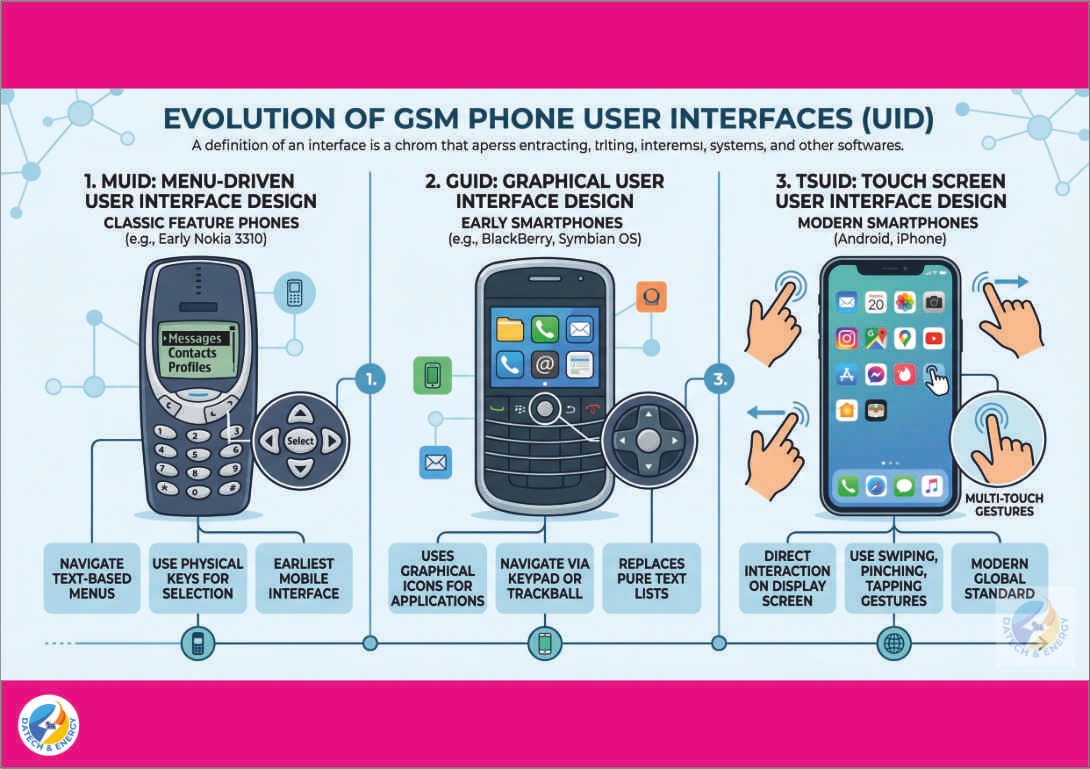
 Definition of Interface
In computing and telecommunications, an interface is a shared boundary across which two separate components of a computer system exchange information. Specifically for GSM phones, the User Interface (UI) is the point of human-computer interaction and communication in a device. It includes everything the user can see, touch, hear, and use to operate the phone from the physical screen and buttons to the digital menus, icons, and text.
Types of User Interface Designs in GSM Phones Over the years, as mobile technology has evolved, so has the way we interact with our phones. There are three primary classifications of User Interface Designs (UID) in GSM phones:
1. MUID (Menu-Driven User Interface Design): This is one of the earliest forms of mobile phone interfaces. In a menu-driven interface, the user is presented with a list of text-based options (menus). To perform a task, the user must navigate through these lists using physical directional keys (up, down, left, right) and a select/OK button. Examples: Classic feature phones like the early Nokia 3310 or Motorola devices.
2. GUID (Graphical User Interface Design): A Graphical User Interface replaces pure text lists with visual indicators and graphical icons to represent programs, files, and actions. Users navigate by highlighting and selecting visual elements (like folders or app icons) using a physical keypad, a trackball, or directional pads. Examples: Early BlackBerry smartphones, Symbian OS phones, and some advanced feature phones.
3. TSUID (Touch Screen User Interface Design) This is the modern standard for almost all smartphones today. It combines the visual elements of GUID with direct physical interaction on the display screen. Users interact directly with what is displayed using multi-touch gestures such as tapping, swiping, pinching, and zooming. Examples: Modern Android smartphones and Apple iPhones.
Importance of User Interface Design
1. A good UI ensures that even a beginner can figure out how to make a call, send a text, or open an app without needing a complicated manual.
2. An effective interface allows users to accomplish tasks quickly. For example, a touch screen allows a user to open a camera with one swipe, whereas a menu-driven phone might require navigating through five different text menus.
3. Proper UI design incorporates features for all users, including those with visual or physical impairments (e.g., adjustable text sizes, voice commands, and screen readers).
4. A visually pleasing interface (good colours, clean layout, understandable icons) creates a satisfying user experience, making the phone more enjoyable to use.
5. Modern UI designs (like TSUID) eliminate the need for bulky physical keyboards, allowing for larger screens and sleeker phone designs.
Evaluation
1. Which of the following user interfaces relies primarily on text-based lists for navigation?
A) TSUID B) GUID C) MUID D) Fluid UI
2. The ability to use “pinch to zoom” is a characteristic of which interface design?
A) MUID B) GUID C) TSUID D) Command Line
3. Briefly define the term “Interface” in relation to a GSM phone.
4. List two reasons why User Interface Design is important for mobile phone manufacturers.